TOW: Access Commandline from OOBE aka Windows Setup
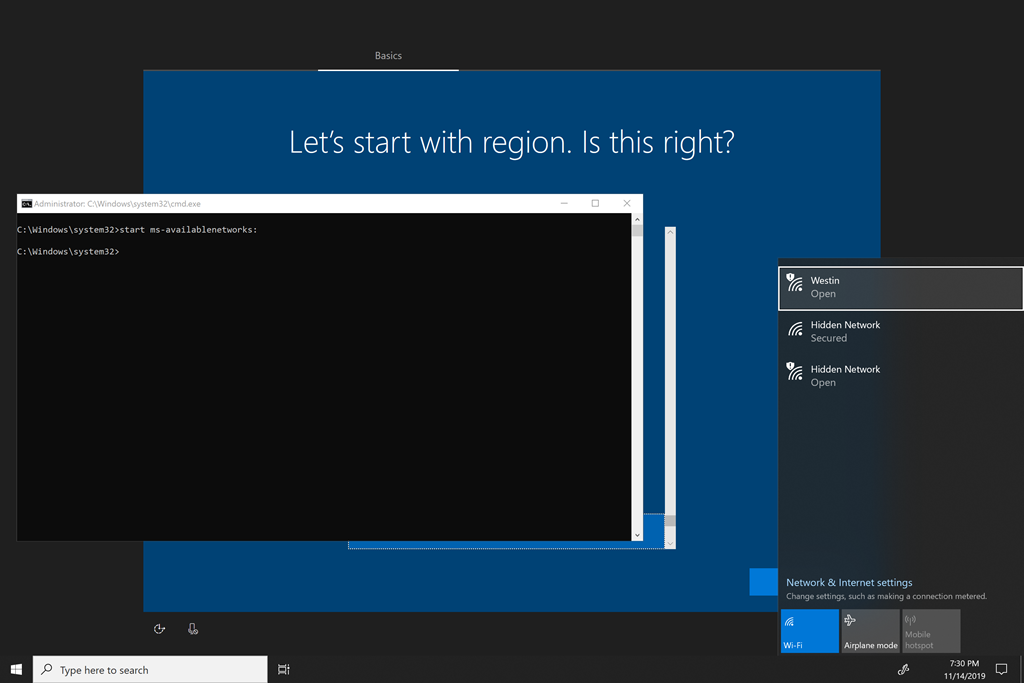

Access the commandline from the Out-of-the-box Windows Setup
When you first install Windows, or start a Windows machine for the first time there is a setup sequence called “OOBE” short for Out-Of-Box-Experience. This helps add your user, name the machine, setup network connections etc.
However occationally you are doing something else at this point… maybe you want to shrink partitions or create/destroy others. Maybe you want to do some script that will allow you as admin to run prior to user setup.
This is where the commandline comes in, but you need to know how to access it in OOBE. Helpfully, Windows provides this with the keyboard shortcut of shift-F10! Simply do this at OOBE startup and then you can access other Windows features from there.
Start control panels
start ms-settings:whatever
or
diskmgmt
or whatever Windows dialog or command you need to access.
Enjoy!